
Sites
Sites organize your inventory into a hierarchy - regions, data centers, buildings, racks - and give devices a place to live. Flows can then target "every device at this site", optionally including child sites.
Create a site
- Open Sites and click Add Site.
- Give it a Name (for example
Europe,DC1,Prague). - Pick a Parent Site to place it in the hierarchy, or leave None (Root Site) for a top-level site.
- Optionally add a Location (free-text address), Tags (
key=valuechips, for exampleenv=prod), and a Description.
The fastest way to build a tree is Add Child from an existing site's row menu - it opens the form with the parent pre-selected.
Names follow the platform's object name rules: trimmed, not blank, at most 128 characters, no word longer than 64, and no control characters.
The site tree
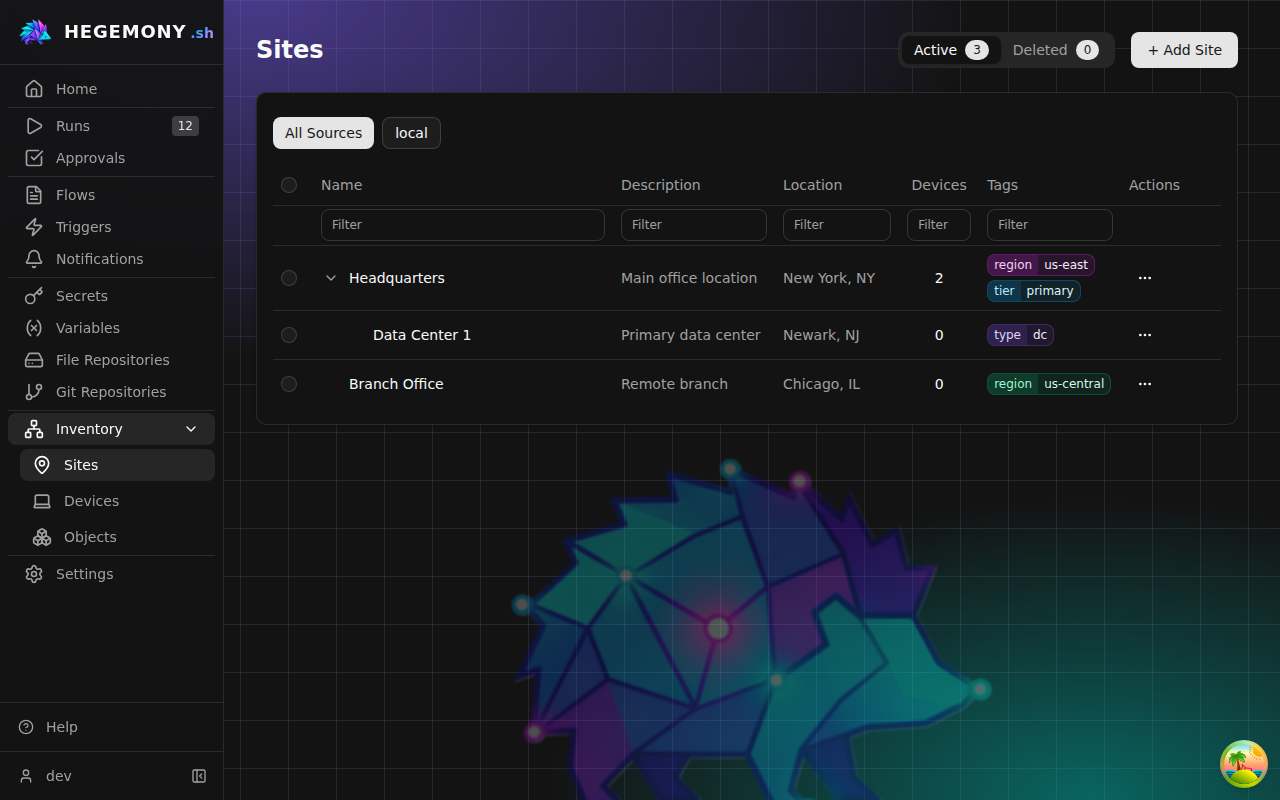
The Sites list shows the full hierarchy with expandable branches, each row with its device count and tags. A provider's tree can include grouping nodes that hold no equipment themselves - a NetBox region or site group - and those rows carry a Region or Site group badge, show the device count of every site beneath them, and cannot be duplicated. Filter by column, or use the source buttons (All Sources, local, provider names) to see only sites from one inventory source. Click a row to open the site's detail page, which shows its info, full path (for example Europe / DC1 / Rack 3), location, and tags.
Provider-sourced sites
Sites imported by an inventory provider (NetBox and similar) carry a source badge and are read-only: the provider stays the source of truth. To change one, either update it in the provider and re-sync, or use Duplicate to create an editable local copy. A Stale badge means the provider has not seen the site in its latest site-enumerating sync; the site is kept rather than deleted, and the badge clears when the provider reports it again. Providers that do not enumerate sites never mark one stale. When the provider supplies a link to its own page for the site, an Open in provider link appears beside the source badge. Provider sync is managed under Settings → Inventory Providers - see the inventory providers guide.
Sites from the shared organization behave the same way: a Shared badge means read-only, and Duplicate is the way to adopt a copy.
Bulk actions, delete, and restore
Select sites with the checkboxes to delete several at once. Deleting is reversible - sites move to the Deleted tab, where you can restore them (parents are restored before children) or delete them permanently. A site with child sites cannot be deleted until its children are dealt with.
Related
- Devices - assign devices to sites and filter by site when targeting runs.
- Provider inventory - other object types synced by providers.